10 Tips for Choosing the Best Auto Phone Holder
A phone can slide, bounce, or block a useful control when its holder is poorly chosen. The right Auto Phone Holder keeps your screen steady and easy to glance at without demanding constant adjustment. Fit matters. So does placement. A mount that works in one car may sit awkwardly in another, especially near curved dashboards, deep vents, or wide trim.
This guide covers ten practical points to consider before buying. Check how the holder attaches, whether it fits your phone and case, and how securely its grip closes. Look closely at the joint, too. A loose ball joint can let the screen dip over bumps, while a stiff one may be frustrating to reposition. Small details matter. Vent-mounted designs can obstruct airflow, and adhesive mounts may not bond well to textured surfaces. Neither is automatically the best choice.
Think about visibility and reach before comparing extra features. The screen should be easy to see without blocking your view of the road or interfering with vehicle controls. Adjust the mount while parked, then check that it stays firm during ordinary trips. A holder that looks sturdy in a product photo may still wobble in your car; specifications cannot promise a perfect fit. These tips can help you compare materials, mounting styles, adjustability, and everyday convenience with more confidence. No mount is perfect. The best option is the one that fits your vehicle, holds your phone reliably, and requires the fewest distracting adjustments.
Identify Your Driving Habits and Phone-Holder Needs
Before comparing phone holders, notice how you drive during an ordinary week. A commuter who relies on navigation every morning needs quick, steady visibility. Someone who drives mainly familiar local roads may care more about occasional calls or music controls. Think about your routes, too. Rough pavement can make a loose mount wobble, while frequent turns may expose a weak grip. Short trips matter as well.
Consider where your phone can sit without blocking the road view, dashboard controls, or air vents you depend on. A windshield mount may suit one cabin, while a dashboard or vent mount fits another. Check the available space before buying; a holder that looks compact online can feel bulky beside the steering wheel. Keep it within easy sight, not in your hand. Small detail, big difference.
Your phone and case also shape the choice. A thick case, large screen, or charging cable may need more clearance than you expect. If you often switch between vehicles, an adjustable holder may save hassle, though extra joints can sometimes loosen over time. It is tempting to focus only on a firm grip. Still, think about daily setup: can you place and remove the phone smoothly while parked? I would weigh that routine more heavily than a sleek appearance.
10 Tips for Choosing the Best Auto Phone Holder: Match It to Your Driving Habits
Use these suggested ratings as a starting point, not as survey results. Prioritize a secure fit, a clear view of the road, and easy access to your phone. Then check that the mount suits your usual route, vehicle layout, phone size, and charging setup.
Compare Dashboard, Windshield, Vent, and Cup-Holder Mounts
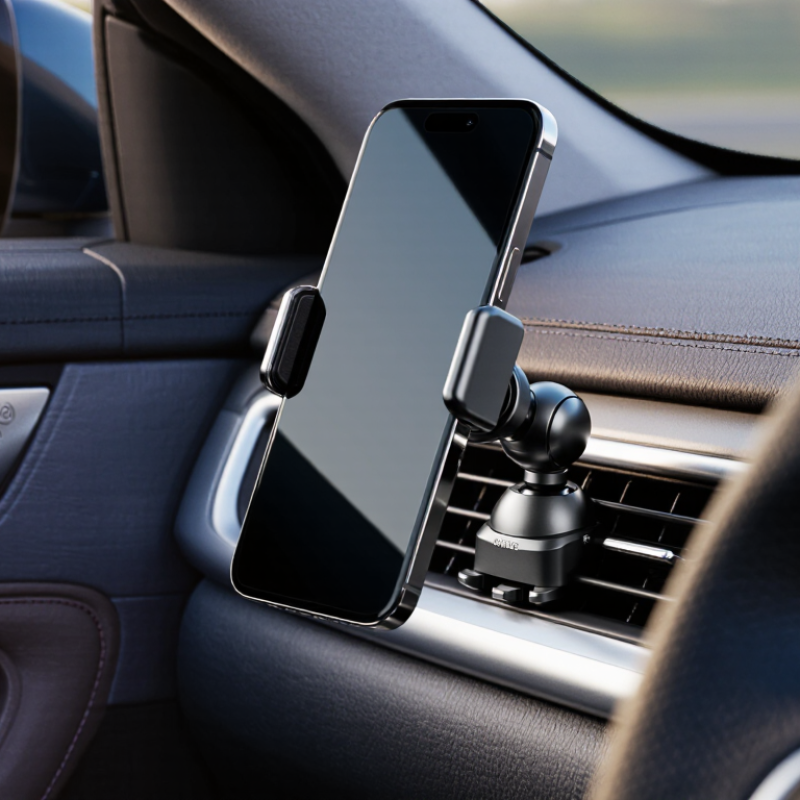
Dashboard mounts keep a phone low and close, but textured surfaces can weaken suction. Windshield mounts usually offer a clear viewing angle; keep them outside your direct sightline. Vent mounts are compact, though heavy phones may make some vents droop. Cup-holder mounts avoid glass and dashboard adhesives, but can sit too low for quick glances. The best position depends on your cabin layout, not just the mount’s advertised grip.
Tip: Check the dashboard surface before choosing suction.
Tip: Clean and dry the contact area.
Tip: Avoid placing any mount near an airbag cover.
Tip: Test windshield placement from the driver’s seat.
Tip: Make sure the phone does not block the road view.
Tip: For vent mounts, gently check that the vent stays firm.
Tip: For cup-holder mounts, confirm the base fits snugly.
Tip: Choose an adjustable arm that locks without wobbling.
Tip: Test the phone’s case in the clamp before driving.
Tip: Recheck the mount after bumps or temperature changes.
Small details matter. The NHTSA’s 2022 Traffic Safety Facts report recorded 3,308 deaths in distraction-affected crashes. That figure does not compare mount types, but it reinforces the value of keeping setup and adjustments simple. One trade-off remains: a mount that feels secure while parked may still shake on rough roads.
Assess Grip, Adjustability, Visibility, and Ease of Use
10 Tips for Choosing the Best Auto Phone Holder
A secure grip matters more than a clever shape. Before buying, check that the clamp or magnetic surface holds your phone firmly on a rough road. Try it with your phone case attached; a fit that works without the case may fail with it. Suction cups need a clean, flat mounting surface, while vent clips should not wobble when you tap the screen. One trade-off is hard to avoid: a stronger grip can make one-handed removal less convenient. Test both.
Adjustability should let you tilt the screen toward the driver without blocking the windshield or key controls. Keep the display near your natural line of sight, but do not treat a mount as permission to look away. NHTSA recorded 3,308 deaths in distraction-affected crashes in 2022; that figure covers many forms of distraction, not phone mounts specifically. A clear view helps, but it cannot replace attention to the road. Small detail, big difference.
Tip: Set the holder while parked. Try portrait and landscape positions, then check for glare in daylight and reflections at night. Make sure the charging cable reaches without crossing the steering wheel or snagging your hand. Finally, test the release button and adjust the angle with one hand. If setup feels fiddly in a quiet driveway, it may be worse when you are rushed. That’s worth reconsidering.
Compare Durability, Installation, and Overall Value
A phone holder can look sturdy on a store shelf and still wobble on a rough road. Check the arm joints, clamp springs, and contact points for solid construction. A little flex is normal; repeated shaking is not. Look for materials that resist heat, since a parked car can become very warm. Check the joints. Also consider whether the grip pads can be replaced if they wear down.
Installation affects daily use as much as durability. A suction mount needs a smooth, clean surface and may loosen over time, while an adhesive base can be harder to reposition. Vent mounts install quickly, but heavy phones may pull on some vents. Test the holder with your own phone and case before committing. Make sure the screen stays visible without blocking your view, and that you can reach the controls safely. Fit matters.
Compare the total value, not just the price. A holder with adjustable arms, a stable base, and a simple release may be more useful than a cheaper model that needs frequent adjustment. Check whether it fits your phone size and whether replacement pads or parts are available. I may be giving small details too much weight, but a rattling mount gets annoying fast. A few minutes of checking can prevent that.